
Microsoft Copilot, done right for your business

Copilot helps your team write faster, summarize meetings, and get more done inside Microsoft 365. We make sure it’s set up securely, used properly, and delivers real results.

What Copilot actually is

A simple explanation without the technical jargon.

What it is not

What Copilot helps you do faster

Real outcomes your team will notice immediately.

call

Write faster
Emails, documents, and updates done in minutes

web

Run better meetings
Summaries, notes, and action items automatically created

question

Make better decisions
Clear insights from your existing data

security

Reduce busywork
Less time on
repetitive tasks

Where Copilot fits into your business

Used across teams, not just IT.

Owners and Executives

Quick summaries, reports, and decision support

Proposals, follow-ups, and meeting recaps

SOPs, notes, and internal documentation

Summaries and insights from reports

Job descriptions, onboarding, and policies

We start with a few high-impact use cases so your team actually adopts it.

Is Copilot Safe?

Is Copilot Safe? 

Yes, but only if your setup is done right.

Copilot works based on the access your team already has.
If someone can see a file, Copilot can use it. If they cannot, it stays protected.
That’s why permissions, file structure, and policies matter before rollout.

How we help you get started

Support based on where you are today.

check

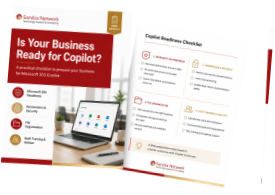
Copilot Readiness Check

pilot

Pilot and Training

optimization

Ongoing Optimization

How we implement
Copilot

Simple, structured, and built for real usage.

number

Readiness

Review your Microsoft 365 setup, data, and security

number

Pilot

Start with a small group using real work scenarios

number

Guardrails

Define how Copilot should be used

number

Training

Show your team how to use it properly

number

Scale

Roll out across the business with improvements

Frequently Asked Questions

What is Microsoft 365 Copilot, in simple terms?

Copilot is an AI assistant built into Microsoft 365 apps like Outlook, Word, Excel, and Teams. It helps your team write, summarize, analyze, and complete everyday tasks faster using your business data. 

Yes. Copilot follows your existing Microsoft 365 permissions and security settings. It only shows users what they already have access to. Proper setup is important to avoid exposing sensitive data. 

Yes. Most businesses need to clean up file structure, permissions, and security settings first. This ensures Copilot gives accurate results and does not surface the wrong data. 

Copilot is licensed per user, per month. The total cost depends on your team size and setup. We help you decide where it makes sense before you invest. 

Start with a small pilot group. Leadership, admin, sales, and operations teams usually see the fastest impact. This helps validate results before a full rollout. 

Most businesses can get started within a few days to a few weeks. This includes readiness checks, setup, pilot rollout, and basic training. 

Ready to get started with Copilot?

We’ll help you set it up, secure it, and make sure your team actually uses it.

Book a Copilot Readiness Call

Secure Future Business Growth

Don’t wait another day. There’s too much at risk.
Get the support you need to protect your most important assets.
Schedule a Call

Start Smart with Microsoft 365 Copilot

Copilot

Footer Form

Name(Required)