
Microsoft 365 Copilot is everywhere right now.
Business owners are hearing about AI-generated emails, instant meeting summaries, smarter reporting, and faster workflows. And honestly? The excitement makes sense.
But here’s the question most businesses are skipping:
Is your business actually ready for Copilot?
Because turning on Copilot without preparing your Microsoft 365 environment first can create confusion, security risks, and messy results instead of productivity gains.
At Sandra Network, we’re helping businesses prepare for AI the same way we approach every IT project:
with security, structure, and real-world usability first.
Here’s what businesses should look at before rollout.
1. Your File Organization Matters More Than You Think
Copilot works inside:
- Outlook
- Teams
- SharePoint
- OneDrive
- Word
- Excel
- PowerPoint
That means it relies heavily on the files and information your team already has access to.
If your environment is cluttered with:
- duplicate folders
- outdated files
- inconsistent naming
- random desktop storage
- poorly structured SharePoint libraries
…Copilot can struggle to deliver useful results.
AI is only as good as the environment behind it.
One of the best first steps is reviewing how your business stores and organizes files across Microsoft 365.
2. Permissions and Security Need a Review First
This is one of the biggest concerns we hear from business owners:
“Will Copilot expose sensitive information?”
Copilot only accesses data employees already have permission to view.
But that’s exactly why permission reviews are so important.
Many businesses discover:
- old employee accounts still active
- overshared folders
- weak sharing settings
- sensitive documents accessible to too many people
Before rollout, businesses should review:
- SharePoint permissions
- OneDrive sharing
- security groups
- guest accounts
- MFA policies
- department access controls
This is where strong IT Security Services and proper Microsoft 365 management become critical.
3. Copilot Is Not a Replacement for IT Strategy
A lot of companies assume Copilot is just a license you buy and turn on.
In reality, successful rollout requires:
- planning
- governance
- employee training
- security controls
- support workflows
- ongoing management
Businesses that see the best results usually start with a small pilot group before expanding company-wide.
That gives teams time to:
- test workflows
- identify gaps
- improve file structure
- train employees properly
- create internal best practices
4. Your Team Still Needs Training
Copilot is powerful, but employees still need guidance on how to use it effectively.
That includes:
- writing better prompts
- reviewing AI-generated content
- understanding data sensitivity
- using Copilot inside daily workflows
- knowing when human review is still needed
Without training, most businesses only use a small fraction of what Copilot can actually do.
That’s why rollout and user adoption matter just as much as licensing.
5. Security Comes First
Before introducing AI into your environment, businesses should already have strong foundational security in place.
That includes:
- Multi-factor authentication
- Endpoint protection
- Secure backups
- Email filtering
- Device management
- Vulnerability monitoring
- Employee security awareness training
AI can improve productivity dramatically, but only when it’s built on a secure foundation.
Sandra Network approaches Copilot readiness the same way we approach all Managed IT Services:
secure, practical, and designed for real business operations.
The Businesses Getting the Most From Copilot Are Preparing First
The companies seeing the biggest wins with AI are not rushing.
They’re:
- organizing data
- tightening permissions
- improving security
- training staff
- building a rollout plan
That preparation makes all the difference.
Copilot can absolutely help businesses move faster and work smarter. But the best results happen when the Microsoft 365 environment behind it is ready.
Want to See If Your Business Is Copilot-Ready?
Download our free:
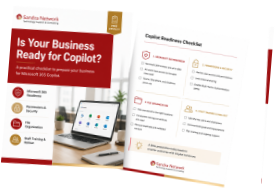
Is Your Business Ready for Copilot? Checklist
Or connect with Sandra Network for a practical review of your Microsoft 365 environment, security posture, and rollout readiness.
Because AI works best when the foundation behind it is solid.